

2. Add Atatus wrapper in startup command
1. Set Atatus configuration In Environment variables
To instrument your application, begin by adding the following values underApp Services -> Settings -> Environment variables in your Azure app settings.
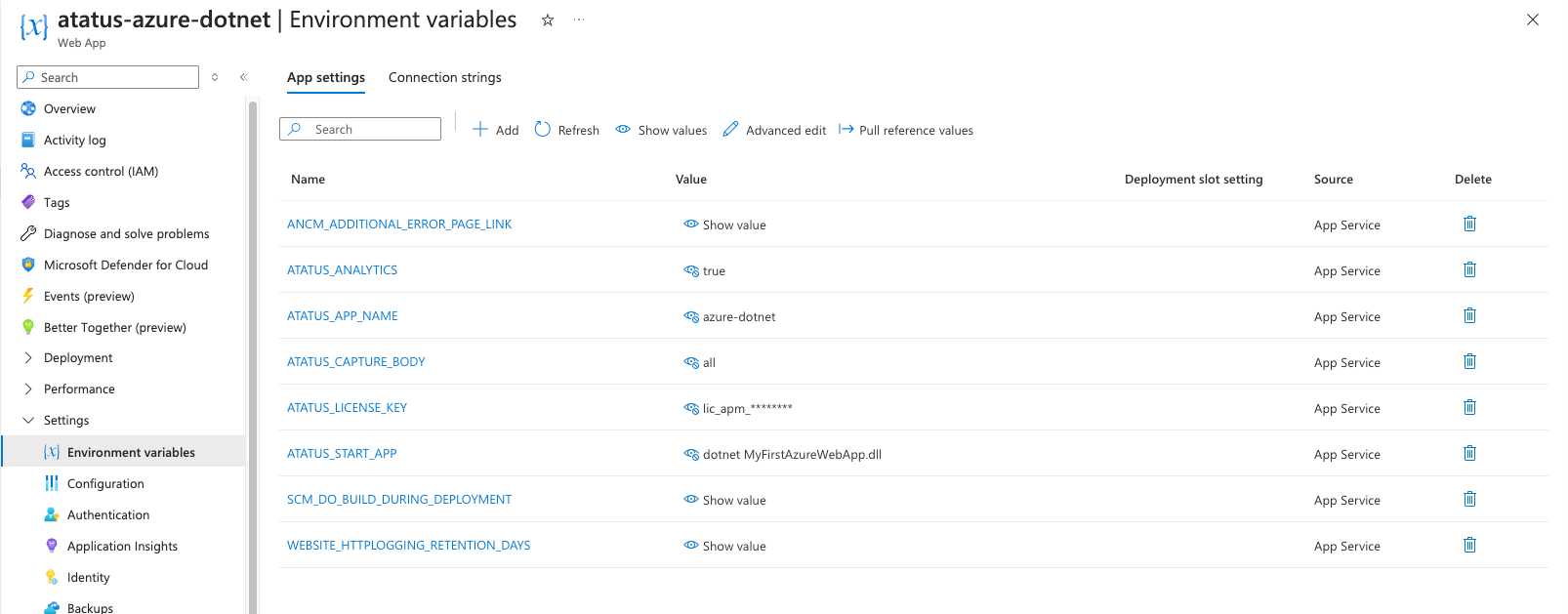
Environment Values
ATATUS_START_APP - Startup Commands for your applications, see belowATATUS_APP_NAME - Name of your project/app/service.ATATUS_LICENSE_KEY - APM License Key of your Atatus account. ATATUS_ANALYTICS - (optional) App Analytics collects all requests individually with contextual data. Possible values are true, falseATATUS_TRACING - (optional) Enables distributed tracing, capturing spans for the full request path (database calls, outbound HTTP, templates). Possible values are true, false. Defaults to false.ATATUS_CAPTURE_BODY - (optional) This setting allows for capturing the body in API analytics. Possible values are all, request, or response.ATATUS_ENVIRONMENT - (optional) The environment this app runs in, used to separate data in the dashboard. e.g. production, staging.ATATUS_DOTNET_PROFILER_VERSION - (optional, .NET Core only) Pins the Atatus .NET profiler version used to instrument the app.ATATUS_PHP_AGENT_VERSION - (optional, PHP only) Pins the Atatus PHP agent version used to instrument the app.ATATUS_PYTHON_AGENT_VERSION - (optional, Python only) Pins the Atatus Python agent version used to instrument the app.ATATUS_JAVA_AGENT_VERSION - (optional, Java only) Pins the Atatus Java agent version used to instrument the app.Startup commands for different backend languages
2. Add Atatus wrapper in startup command
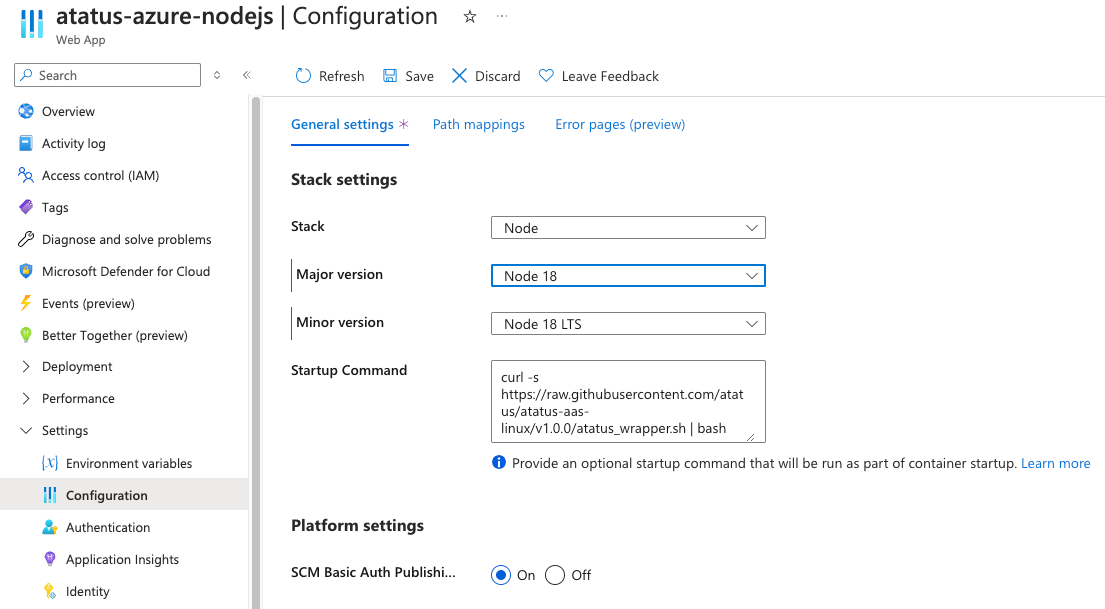
Node.js & .NET Core
Go toApp Services -> settings -> Configuration and add the following to the Startup Command field:
Python
Go toApp Services -> settings -> Configuration and add the following to the Startup Command field:
atatus-run, which instruments Django, Flask and FastAPI/Starlette automatically. No code changes are required in your application.