

- Navigate to AWS IAM identify center.
- Navigate to Users side menu. Create a user with the email address who needs an access to Atatus.
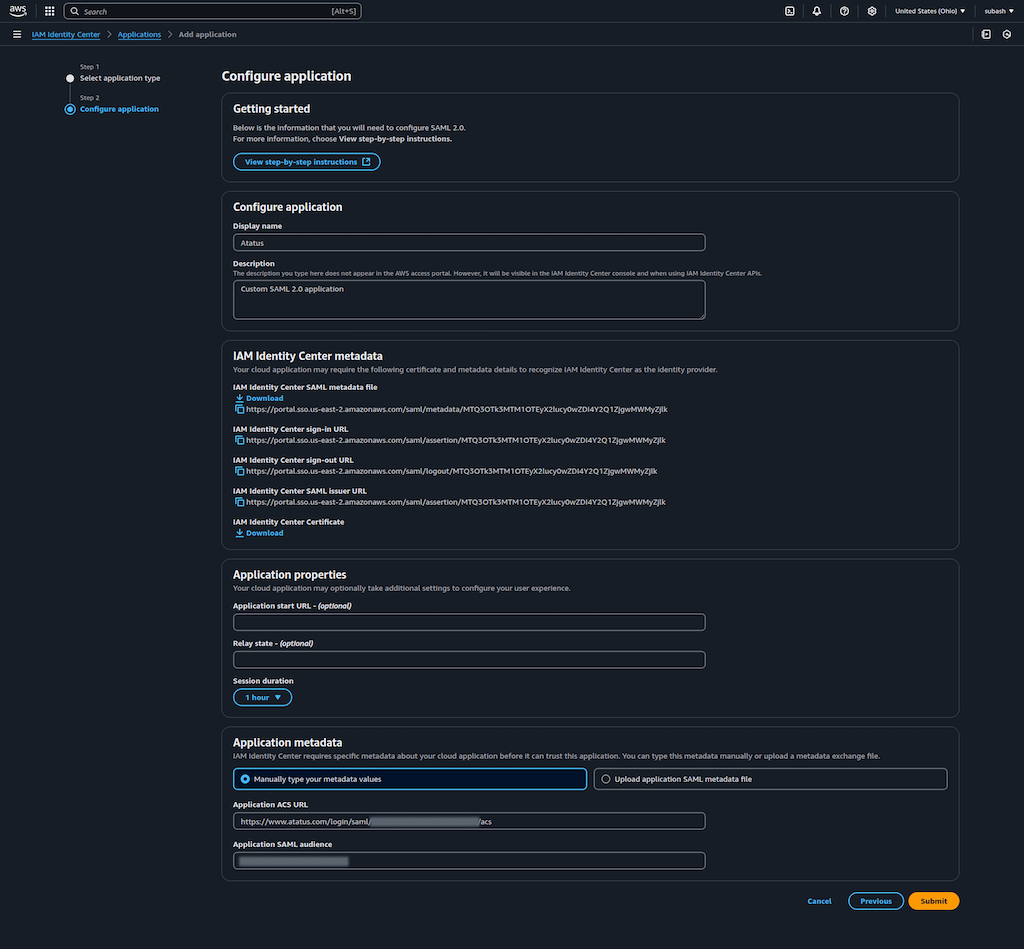
- Navigate to Applications -> Customer Managed -> Add Application
 5. Click on Actions -> Edit attribute mappings inside the created application.
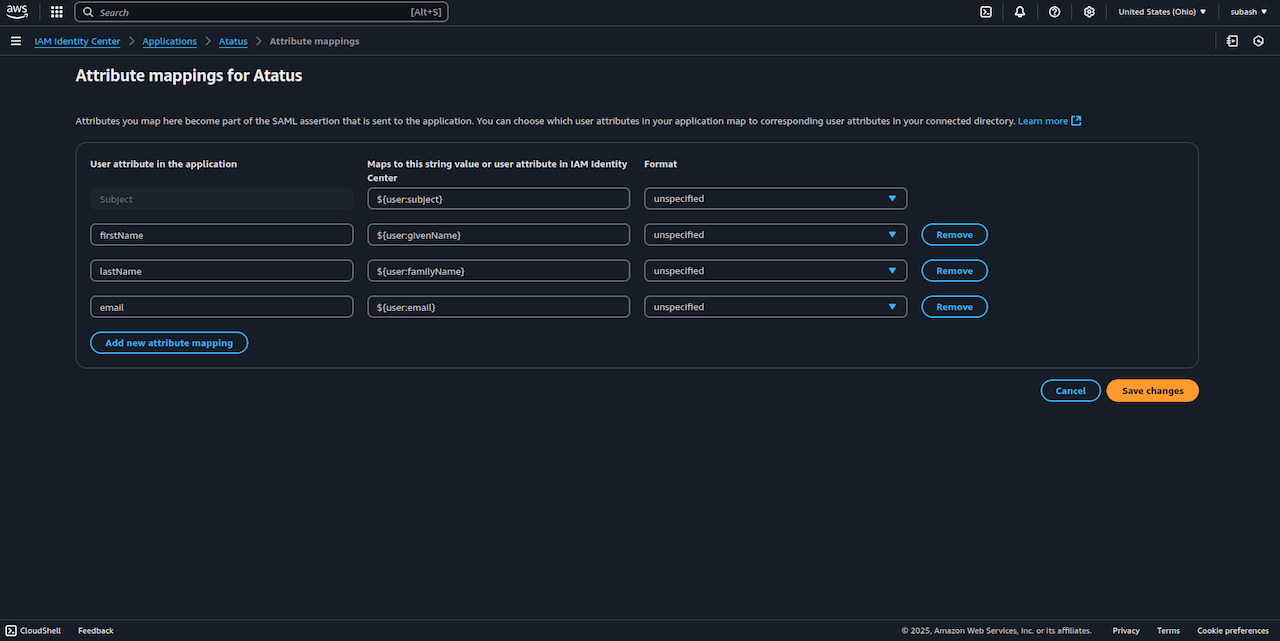
6. In Attribute mappings page, enter details like below table and image:
5. Click on Actions -> Edit attribute mappings inside the created application.
6. In Attribute mappings page, enter details like below table and image:
 7. Click on Save changes.
8. Now click on Actions -> Edit configuration -> Download the IAM Identity Center SAML metadata file.
9. In Atatus Single Sign-on settings page, Upload the SAML metadata file.
7. Click on Save changes.
8. Now click on Actions -> Edit configuration -> Download the IAM Identity Center SAML metadata file.
9. In Atatus Single Sign-on settings page, Upload the SAML metadata file.