Integrate BugHerd with Atatus
BugHerd is the easiest bug reporting tool that logs a bug immediately. It pins the feedback of the issues like a sticky note for easy developer access.Setup
-
Go to project Settings » Ticketing Integrations » BugHerd in Atatus.
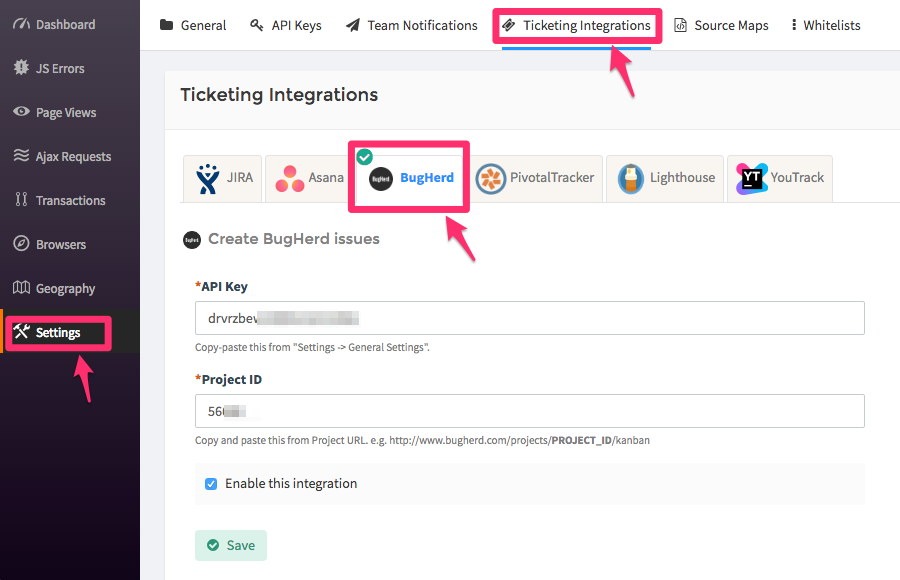
- Copy and paste the API Key from BugHerd Settings » General Settings into the text box.
- From BugHerd project URL, copy the set of numbers that is a part of it and paste it into the project Id text box. Example, http://www.bugherd.com/projects/56688/kanban where 56688 is the project Id.
- Click on the Save button when you’re done.
How to Use
-
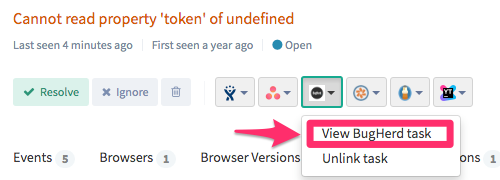
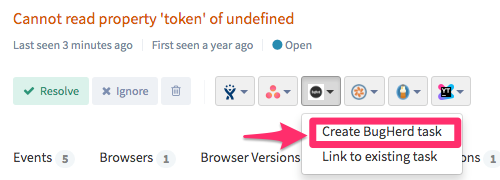
After you set up the integration, you’ll notice a BugHerd button below the error message in the Error page. This will allow you to create a new task for the error, or link with an existing one.
-
Once the task is created or linked, you will see the link in the drop down menu. To go to the task in BugHerd simply click on the created link.