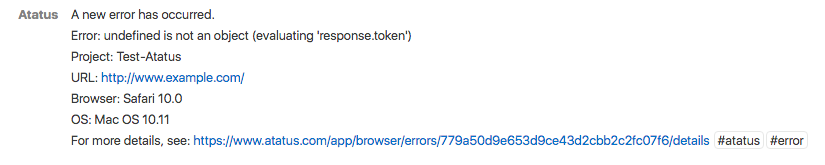
Integrate Flowdock with Atatus
Flowdock is an app for desktop, mobile and web that allows teams to have conversations, prioritize work and resolve issues, search and organize from various locations.Setup
-
Go to project Settings » Team Notifications » Flowdock in Atatus.
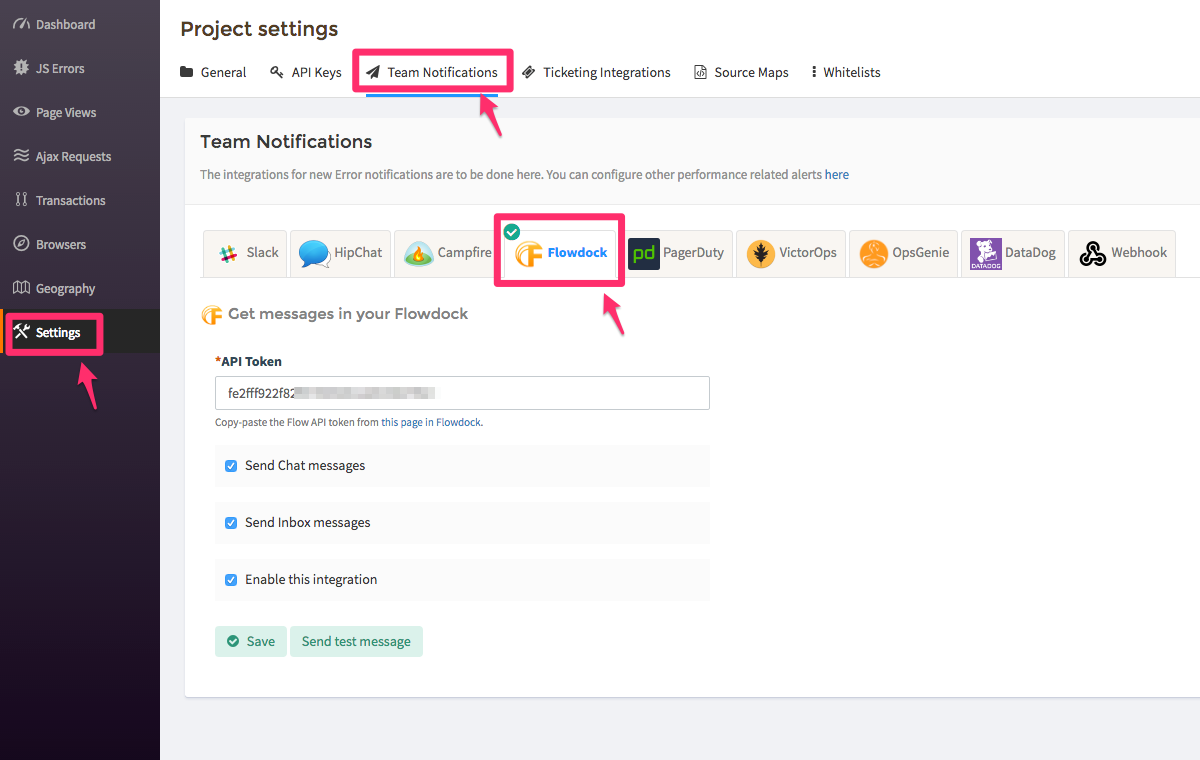
- Copy and paste the Flow API Token from this page in Flowdock into the API Token text box.
-
Select one or both of the check boxes to specify where notifications are sent:
- Send Chat messages will deliver them to your team chat.
- Send Inbox messages will deliver them to your team inbox.
- Click on the Save button when you’re done.