Integrate GitHub with Atatus
GitHub is a one stop application for your entire project development life cycle.Setup
-
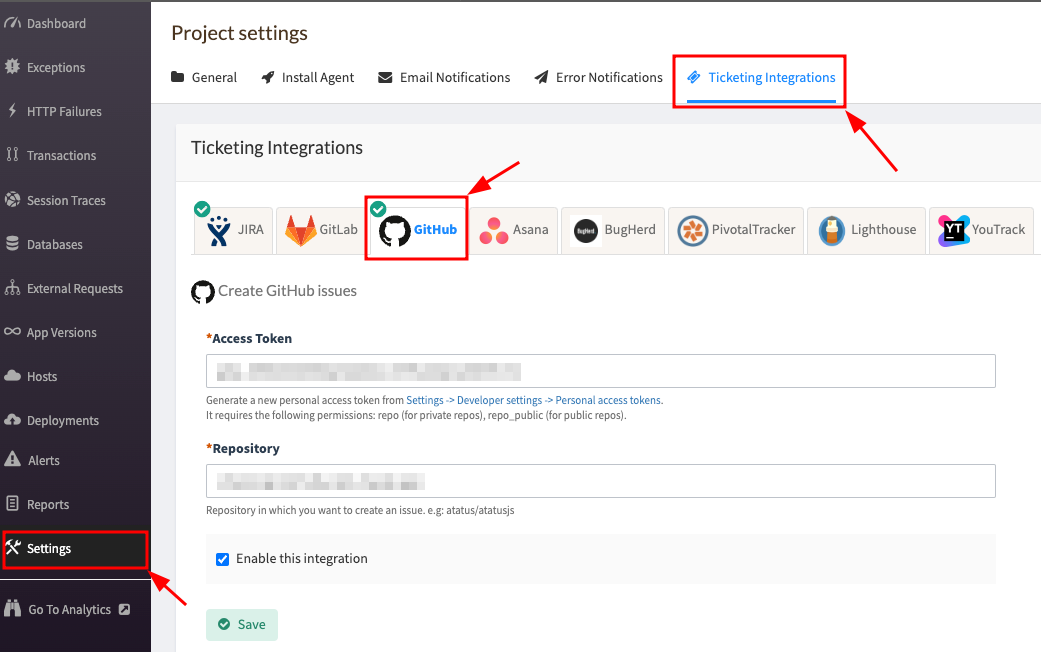
Go to project Settings » Ticketing Integrations » GitHub in Atatus.
-
To add an
Access Tokenfield, you need to generate a new personal access token. Option 1: Create Fine Grained Personal Access Tokens a) Create token from Settings -> Developer settings -> Personal access tokens. b) In the permissions tab, click onRepository Permissions,and then grantread and writepermissions forIssues. Option 2: Create Classic Tokens a) Create token from Settings -> Developer settings -> Personal access tokens. b) Add your permissions: It requires the following permissions:repo(for private repos),repo_public(for public repos). - Add your repository in which you want to create an issue.
- Click on the Save button when you’re done.
How to Use
-
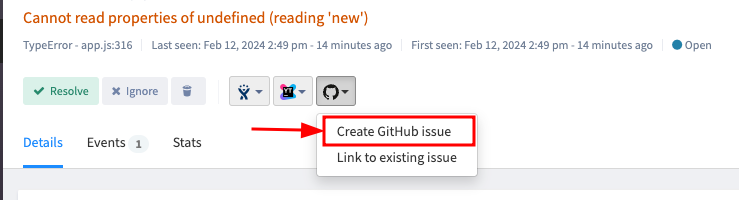
After you set up the integration, you’ll notice a GitHub button below the error message in the Error page. This will allow you to create a new issue for the error or link with an existing one.
-
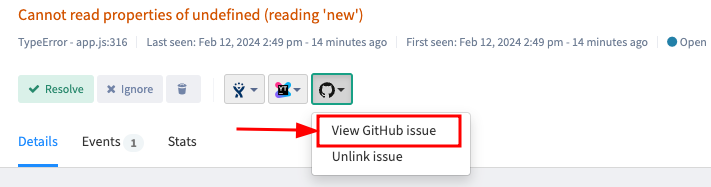
Once the issue is created or linked, you will see the link in the drop down menu. To go to the issue in GitHub simply click on the created link.